Get the full picture from your confirmation emails
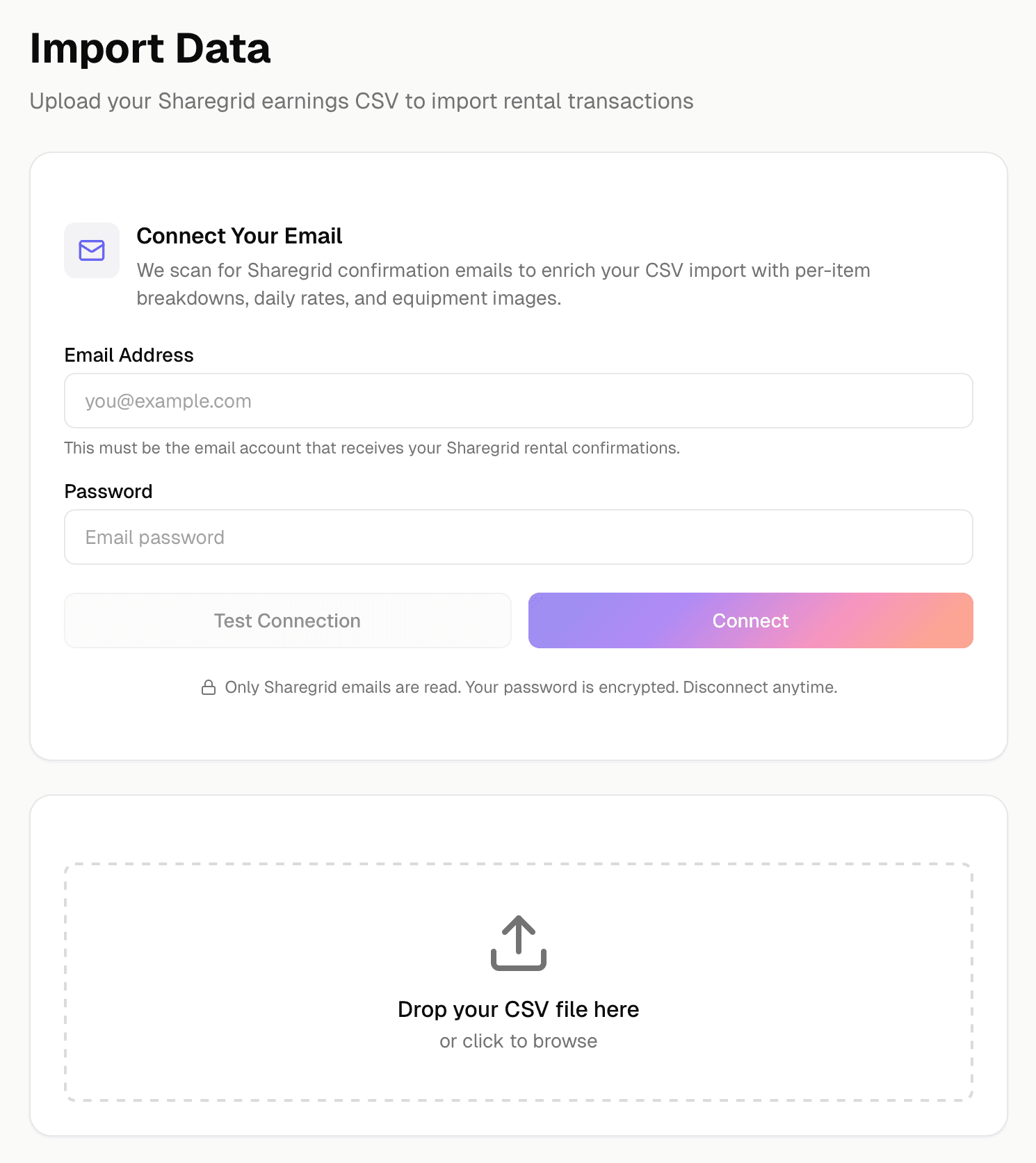
Rental IQ connects to your email to automatically pull equipment images, per-item rate breakdowns, and daily pricing from Sharegrid booking confirmations.
CSV exports only tell half the story
Sharegrid CSV exports include transaction totals, but not per-item daily rates for multi-item bookings. Equipment images are missing. And if a booking included a discount or promo, the CSV does not always break it down clearly.
That missing data means your analytics are incomplete. You can’t see true per-item profitability for package rentals without manually looking up every confirmation email.
Rental IQ solves this by reading your Sharegrid confirmation emails directly and matching them to your imported transactions. The result is a complete, enriched record for every booking.
How it works
Connect your email account
Add your email credentials in settings. Rental IQ supports Gmail, Outlook, iCloud, Zoho, Fastmail, and any provider that supports standard email access. Credentials are encrypted at rest.
Rental IQ scans for Sharegrid emails
After connecting, Rental IQ searches your inbox for Sharegrid booking confirmation emails and matches them to your existing rental records by transaction ID.
Data is enriched automatically
Equipment images, per-item daily rates, and detailed fee breakdowns are extracted from the email content and attached to the matching rental record.
Your analytics get more accurate
With enriched data, per-item earnings, daily rate comparisons, and equipment images all become available across your dashboard.
What makes this different
No manual data entry
Instead of copying numbers from emails into spreadsheets, Rental IQ reads the emails and fills in the gaps automatically.
Per-item breakdowns for multi-item bookings
When a renter books three items together, the email connection extracts the individual daily rate for each item, not just the package total.
Equipment images from listings
Confirmation emails include links to your Sharegrid listings. Rental IQ pulls equipment photos so your inventory has images without manual uploads.
Your inbox stays private
Rental IQ only searches for emails from help@sharegrid.com with "Rental Confirmation" in the subject line. It never browses your inbox or reads any other messages. All it extracts is rental data: transaction IDs, equipment names, daily rates, and pricing.
Secure by design
The connection uses IMAP with an app-specific password, the same method used by Thunderbird, Apple Mail, Outlook, and accounting tools like QuickBooks. Your password is encrypted with AES-256-GCM before it is stored. The connection is read-only and cannot send emails on your behalf. You can revoke your app-specific password from your email provider at any time to instantly cut off access, and disconnecting from Rental IQ permanently deletes your stored credentials.
Who it's for
Solo owner-operators
If you rent out a few items, the email connection saves you from manually tracking daily rates and looking up confirmation details every time you want to check your numbers.
High-volume renters
With frequent multi-item bookings, you need per-item breakdowns to know which gear is pulling its weight in a package. The email connection handles this automatically.
Rental houses
For rental houses processing dozens of bookings a month, manual data entry is not sustainable. The email connection keeps your records complete without adding to the workload.
Related features
From the blog
Apr 6, 2026 · 12 min read
Best Rental Management Software for Film (2026)
The best equipment rental management software for filmmakers, rental houses, and production companies compared. Most are overbuilt. One is not.
Apr 3, 2026 · 7 min read
Rental Tracking: Sharegrid vs. Analytics Tools
What Sharegrid's built-in dashboard actually shows you, where it falls short, and what dedicated rental analytics tools add to the picture.
Dec 2, 2025 · 8 min read
Rental Management App vs. Spreadsheet
Spreadsheets vs. dedicated rental management apps for camera owners. When a spreadsheet works, when it breaks down, and what to look for in an app.
Ready to track your rental business?
Join the waitlist to lock in launch pricing for life.